Employee Attendance Management for Small Businesses: A Practical Setup Guide
Introduction
Managing employee attendance can become difficult when a small business starts growing. A few employees may be easy to track through a notebook or spreadsheet. However, problems can arise when staff work different shifts, take leave, arrive late, work overtime, or operate remotely.
A simple attendance management system helps business owners maintain accurate records. It also makes payroll preparation, leave tracking, and employee communication easier.
Small businesses do not always need expensive HR software. They need a clear attendance policy, a reliable recording method, and a regular review process.
This guide explains how to build an employee attendance management system from scratch. It covers manual registers, Excel spreadsheets, digital attendance tools, attendance calculations, common mistakes, and practical implementation steps.
1. What Is Employee Attendance Management?
Employee attendance management is the process of recording and reviewing when employees start work, finish work, take breaks, request leave, and complete scheduled working hours.
It helps a business understand:
- Which employees attended work.
- Who arrived late or left early.
- How many working hours employees completed.
- Who took approved or unapproved leave.
- Whether employees worked overtime.
- Which attendance records need correction.
- How attendance information affects payroll.
An effective system should record facts rather than rely on memory or informal messages.
For example, imagine a small company with 12 employees. The owner currently checks attendance through WhatsApp messages. One employee reports a late arrival. Another forgets to report a half-day absence. A third works extra hours but does not record them.
These small gaps can create payroll disputes and confusion.
A structured attendance process gives everyone a consistent way to record and review working time.
2. Why Small Businesses Need an Attendance Management System
Attendance tracking is not only an administrative task. It supports daily business operations.
Accurate Payroll Preparation
Payroll depends on reliable working-time and leave information.
An attendance record helps the accounts team review:
- Days worked.
- Paid leave.
- Unpaid leave.
- Late arrivals.
- Early departures.
- Overtime hours.
- Approved attendance corrections.
Attendance information should support payroll calculations. It should not automatically trigger salary deductions without checking applicable employment rules and company policy.
Better Employee Accountability
A written attendance policy helps employees understand their responsibilities.
It explains when they should start work, how they should report absences, and how they can correct missing attendance records.
Easier Leave Management
A proper system connects attendance records with leave information. Managers can review leave requests, approval status, leave dates, balances, holidays, and unpaid absence.
Improved Workforce Planning
Attendance information helps managers identify staffing gaps and plan employee schedules.
Better Recordkeeping
Businesses may need attendance information for payroll checks, internal reviews, or regulatory requirements.
3. Define Your Employee Attendance Policy
Before selecting software, write down the rules.
An attendance policy explains how employees and managers should record and manage working time.
Essential Attendance Policy Details
| Policy area | What to define |
|---|---|
| Working hours | Official start and finish times |
| Workdays | Weekly working schedule |
| Breaks | Duration and timing |
| Attendance method | Register, spreadsheet, or software |
| Late arrival | Reporting and approval process |
| Early departure | Permission requirements |
| Leave | Request and approval process |
| Overtime | Approval and recording process |
| Remote work | Check-in and attendance rules |
| Corrections | How employees report mistakes |
Example Attendance Policy
The following is an illustrative policy for a small office:
- Working days: Monday to Friday.
- Working hours: 9:30 AM to 6:00 PM.
- Lunch break: 1:00 PM to 1:30 PM.
- Attendance method: Digital attendance sheet.
- Late arrival: Employees must inform their manager.
- Leave: Employees must submit requests through the approved process.
- Overtime: Employees must obtain approval before working additional hours.
- Corrections: Employees must report missing or incorrect entries to their manager.
These are example settings, not universal employment rules. Adjust them to your business, employment agreements, and applicable local laws.
4. Choose the Right Attendance Tracking Method
Small businesses can choose from several attendance tracking methods.
Method 1: Manual Attendance Register
A manual attendance register uses a notebook or printed sheet. Employees or supervisors record attendance each working day.
Advantages:
- Low initial cost.
- Easy to understand.
- No internet connection required.
- Suitable for very small teams.
Limitations:
- Manual entry takes time.
- Mistakes can go unnoticed.
- Monthly calculations require extra work.
- Paper records need secure storage.
Best suited for: Small businesses with a few employees and straightforward working schedules.
Method 2: Excel or Google Sheets
A spreadsheet provides a simple way to organize attendance information.
Advantages:
- Low cost.
- Easy to customize.
- Supports basic formulas.
- Makes monthly summaries easier.
- Can be shared with authorized managers.
Limitations:
- Employees may overwrite formulas.
- Manual entry can create errors.
- Access permissions need attention.
- Large spreadsheets become harder to manage.
Best suited for: Small teams that want a simple digital system without purchasing dedicated software.
Method 3: Mobile Attendance Application
Employees can use a mobile application to record their attendance.
Common features include:
- Clock-in and clock-out.
- Leave requests.
- Shift schedules.
- Attendance reports.
- Manager approvals.
- Notifications.
- Location-based check-ins.
Best suited for: Businesses with remote employees, field teams, multiple locations, or changing schedules.
Method 4: Biometric Attendance System
A biometric system uses a physical characteristic, such as a fingerprint or facial image, to verify identity.
Advantages:
- Can reduce attendance entries made for another employee.
- Provides centralized attendance records.
- May suit fixed workplace locations.
- Can support shift-based operations.
Limitations:
- Hardware and maintenance costs.
- Privacy and data protection considerations.
- Device failures can interrupt attendance.
- Employees need an alternative process for failed scans.
Best suited for: Businesses that need physical workplace attendance verification and can manage related privacy and security responsibilities.
Attendance Method Comparison
| Method | Cost | Setup effort | Suitable environment |
|---|---|---|---|
| Manual register | Low | Low | Very small office |
| Excel or Sheets | Low | Low to medium | Small office team |
| Mobile application | Low to medium or high | Medium | Remote and field teams |
| Biometric system | Medium to high | Medium to high | Fixed workplace |
Actual prices depend on vendors, features, devices, and employee numbers.
5. Create an Employee Attendance Register
Once you select a method, create a standard attendance format.
A consistent register makes daily tracking and monthly review easier.
Recommended Attendance Register Fields
| Field | Purpose |
|---|---|
| Employee ID | Identifies the employee |
| Employee name | Shows the employee’s name |
| Department | Identifies the team |
| Date | Records the attendance date |
| Check-in time | Records the starting time |
| Check-out time | Records the finishing time |
| Break duration | Records unpaid or scheduled breaks |
| Total hours | Calculates working time |
| Attendance status | Shows Present, Absent, Leave, or Holiday |
| Approval status | Records manager approval |
| Remarks | Explains corrections or exceptions |
Sample Monthly Attendance Sheet
| Employee | Date | Check-in | Check-out | Status |
|---|---|---|---|---|
| Employee A | 01 Dec | 09:25 AM | 06:05 PM | Present |
| Employee B | 01 Dec | 09:42 AM | 06:00 PM | Late |
| Employee C | 01 Dec | — | — | Approved Leave |
| Employee D | 01 Dec | 09:30 AM | 06:10 PM | Present |
The names and entries above are hypothetical examples.
Important Attendance Statuses
| Status | Meaning |
|---|---|
| P | Present |
| A | Absent |
| PL | Paid Leave |
| UL | Unpaid Leave |
| HD | Half Day |
| WO | Weekly Off |
| H | Public Holiday |
| OD | Official Duty |
| WFH | Work From Home |
| MISS | Missing Attendance Entry |
Use a written legend beside the spreadsheet.
Do not count a missing entry as an absence automatically. First check whether the employee forgot to check in, had a technical issue, or received approval through another process.
6. Calculate Working Hours Correctly
A basic calculation is:
Total Working Hours = Check-out Time − Check-in Time − Unpaid Break Duration
Example Calculation
Suppose an employee:
- Checks in at 9:30 AM.
- Checks out at 6:00 PM.
- Takes a 30-minute unpaid lunch break.
The calculation is:
- Total time at work: 8 hours 30 minutes.
- Unpaid break: 30 minutes.
- Net working time: 8 hours.
This example assumes the break is unpaid under the applicable work arrangement.
Excel Formula
Suppose:
- Column C contains check-in time.
- Column D contains check-out time.
- Column E contains break duration.
Use this formula:
=MOD(D2-C2,1)-E2Format the result cell as:
[h]:mmThe formula can help calculate shifts that cross midnight. However, it does not automatically handle every attendance exception.
Check missing entries, overnight shifts, unpaid breaks, approved overtime, and incorrect dates separately.
7. Connect Attendance with Leave Management
Attendance and leave records should work together.
An employee who has approved leave should not appear as an unexplained absence.
Recommended Leave Workflow
- Employee submits a leave request.
- Manager receives the request.
- Manager checks staffing requirements.
- Manager approves or rejects the request.
- The leave record is updated.
- Attendance reflects the approved leave.
- HR or accounts reviews the monthly summary.
Leave Information to Maintain
- Employee ID.
- Leave type.
- Start date.
- End date.
- Number of days.
- Request date.
- Approval status.
- Approving manager.
- Remarks.
A leave balance should follow the company’s approved policy and applicable employment rules.
8. Create a Late Arrival and Early Departure Process
Late arrival and early departure rules should be clear and consistent.
Define:
- Scheduled reporting time.
- Grace period, if permitted.
- How employees report delays.
- Who approves exceptions.
- How repeated issues are reviewed.
- How corrections are recorded.
Example Late Arrival Process
Imagine an employee reaches the office 20 minutes after the scheduled start time.
The employee should:
- Inform the manager.
- Record the actual check-in time.
- Explain the reason if required by policy.
- Request approval if the situation needs an exception.
- Review the attendance record if it contains an error.
Managers should distinguish between a genuine attendance problem and a recording mistake.
Avoid automatic salary deductions or disciplinary action based only on a software alert. Review the facts, company policy, and applicable law first.
9. Manage Remote and Hybrid Employee Attendance
Remote work creates different attendance challenges.
An employee may work from home, visit a client, attend a meeting, or travel for official duties.
Create separate attendance categories for:
- Office work.
- Work from home.
- Client visits.
- Business travel.
- Official duty.
- Approved leave.
- Training sessions.
Example Remote Attendance Process
- Sign in through the approved attendance tool.
- Record the scheduled start time.
- Follow the agreed working schedule.
- Inform the manager about approved schedule changes.
- Record the finishing time.
- Correct missing entries through the normal process.
Attendance records should measure agreed working-time requirements. They should not become an excuse for constant employee surveillance.
10. Review Attendance Every Month
Daily recording is only one part of the process.
A manager should review attendance records before payroll preparation.
Monthly Attendance Review Checklist
- Check all employee attendance entries.
- Identify missing check-in records.
- Identify missing check-out records.
- Verify approved leave.
- Review late arrivals.
- Review early departures.
- Check overtime approvals.
- Resolve employee corrections.
- Compare attendance with payroll records.
- Save the approved monthly report.
Keep the original entries and approved corrections where your system supports an audit trail.
11. Understand Attendance Management Compliance
Attendance management can connect with employment laws, wage records, working hours, overtime, leave, and employee privacy.
Requirements differ by country, state, industry, establishment type, and workforce category.
For Businesses Operating in India
Indian employers should review the employment laws and rules applicable to their establishment.
The Code on Social Security, 2020 includes provisions concerning employer records and registers under Section 123. The exact obligations depend on applicable commencement notifications, rules, and establishment coverage.
For Maharashtra businesses, check the latest applicable state notifications and rules before implementing attendance and payroll procedures. Draft notifications should not be treated as final rules.
Before implementing attendance-based payroll deductions, confirm the relevant wage rules and employment conditions with a qualified HR or labour-law professional.
Employee Data Privacy
Attendance records may contain personal information.
A responsible business should:
- Collect only necessary information.
- Restrict access to authorized people.
- Tell employees how attendance information is used.
- Protect spreadsheets and digital accounts.
- Review vendor security practices.
- Set a suitable record-retention period.
- Provide a way to report incorrect entries.
Biometric attendance requires additional care because it involves identity-related information.
12. Choose Attendance Software Carefully
A small business may eventually need dedicated attendance software.
Do not choose a tool only because it has many features. First identify the actual problems your business needs to solve.
Important Features to Evaluate
| Feature | Why it matters |
|---|---|
| Employee database | Maintains employee information |
| Clock-in and clock-out | Records working times |
| Leave management | Connects leave with attendance |
| Shift management | Supports different schedules |
| Overtime tracking | Records additional approved hours |
| Attendance reports | Supports monthly review |
| Payroll export | Reduces repeated data entry |
| User permissions | Limits access to records |
| Audit history | Helps review corrections |
| Mobile access | Supports remote teams |
| Data export | Helps retain business records |
Questions to Ask Before Buying
- Does the software support your working schedules?
- Can managers approve attendance corrections?
- Can employees view their own records?
- Can you export monthly reports?
- Does it support remote employees?
- What happens if the internet connection fails?
- What security controls protect employee information?
- Can you retrieve your data if you cancel?
- Are there additional charges for users or features?
- Does the provider explain its data retention and deletion process?
Ask for a demonstration using your real attendance workflow before purchasing a subscription.
13. A Practical 7-Day Attendance Management Setup Plan
A small business can build a basic attendance process through a short implementation plan.
| Day | Activity | Expected result |
|---|---|---|
| Day 1 | Review current attendance problems | List of requirements |
| Day 2 | Define working hours and policy | Written attendance rules |
| Day 3 | Select a tracking method | Register or software selected |
| Day 4 | Create employee records | Employee database ready |
| Day 5 | Test check-in and leave processes | Workflow tested |
| Day 6 | Explain the process to employees | Employees understand the rules |
| Day 7 | Start recording and review issues | Attendance system operational |
This is an example implementation schedule. A business with complex shifts or legal requirements may need more preparation.
14. Common Employee Attendance Management Mistakes
Changing Attendance Records Without Approval
A manager should not silently change an employee’s recorded working time.
Use a correction process that records the original entry, corrected value, reason, date, and approving person.
Using Too Many Attendance Methods
If some employees use a register, others send WhatsApp messages, and others use an application, monthly reconciliation becomes difficult.
Choose one primary attendance method.
Ignoring Missing Entries
A missing check-in does not always mean an employee was absent.
Ask the employee and manager to verify the record before finalizing it.
Failing to Record Overtime
Extra working hours should be recorded and approved according to the applicable policy and legal requirements.
Giving Everyone Access to Employee Records
Attendance information should only be accessible to people who need it.
Protect employee information with suitable permissions and account security.
Treating Attendance as a Measure of Productivity
Attendance shows when someone records working time. It does not prove the quality or value of their work.
Managers should assess performance using appropriate work-related measures.
Frequently Asked Questions
1. What is the best attendance management system for a small business?
The best system depends on team size and work arrangements. A small office may use Excel or Google Sheets. Businesses with remote teams or multiple shifts may benefit from attendance software.
2. Can a small business manage employee attendance in Excel?
Yes. Excel can record employee names, dates, check-in times, check-out times, leave, and attendance status. Protect formulas and restrict access to authorized users.
3. What information should an attendance register contain?
A basic register should include employee ID, name, date, check-in time, check-out time, working hours, attendance status, and approval details.
4. How do businesses calculate employee working hours?
Subtract the recorded start time from the finish time. Then subtract applicable unpaid breaks. Review overnight shifts and missing entries separately.
5. Should employees record attendance when working from home?
Businesses can define a remote attendance process. Employees may record their working start and finish times through an approved application or timesheet.
6. Is biometric attendance necessary for a small business?
No. A biometric system is not essential for every business. A manual register or digital spreadsheet may be sufficient for a small team.
7. How often should managers review attendance?
Employees should record attendance daily. Managers should review exceptions regularly and complete a full review before monthly payroll preparation.
8. Can attendance software calculate salaries automatically?
Some systems integrate attendance with payroll. However, salary calculations also depend on wage rules, leave policies, overtime, deductions, and other employment conditions. Review the calculations before processing payroll.
9. How should a business handle incorrect attendance entries?
Create a correction process. Ask the employee to report the issue, verify it with the manager, and record the approved correction with a reason.
10. How long should a business keep attendance records?
The retention period depends on the applicable laws and business requirements. Check local recordkeeping rules before setting a deletion schedule.
Final Thoughts
A reliable attendance management system does not need to be complicated.
Small businesses can start with a clear attendance policy, a standard employee register, and a monthly review process. As the workforce grows, they can introduce mobile attendance applications or dedicated HR software.
The most important part is consistency. Employees should understand the rules, managers should approve corrections, and the business should protect attendance records.
Start with the simplest system that meets your operational and legal requirements. Review it regularly and improve it as the business grows.
2. Practical Attendance Templates
Daily Attendance Format
| Employee ID | Employee Name | Date | In Time | Out Time | Status | Remarks |
|---|---|---|---|---|---|---|
| EMP001 | Employee A | 01 Dec | 09:30 | 18:00 | Present | — |
| EMP002 | Employee B | 01 Dec | 09:45 | 18:00 | Late | Informed manager |
| EMP003 | Employee C | 01 Dec | — | — | Leave | Approved |
Monthly HR Summary
| Employee | Present | Paid Leave | Unpaid Leave | Overtime |
|---|---|---|---|---|
| Employee A | 21 | 1 | 0 | 2 hrs |
| Employee B | 20 | 2 | 0 | 0 hrs |
| Employee C | 19 | 1 | 2 | 3 hrs |
All names and numbers in these templates are illustrative. Actual calculations must follow the employee’s schedule and applicable rules.
3. Visual Content Recommendations
Use original visuals with different compositions instead of repeating the same infographic layout.
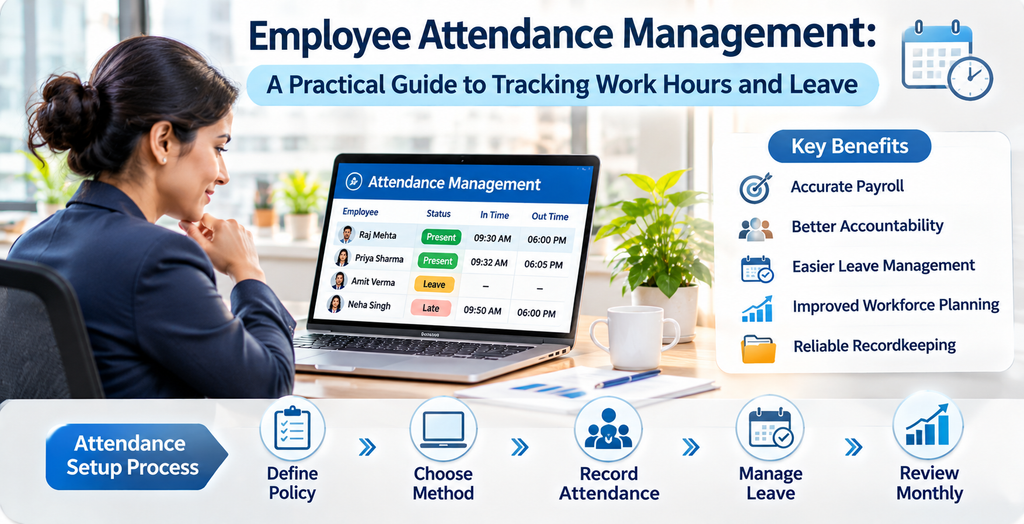
Featured Image: Employee Attendance Management
Show a small-business manager reviewing an attendance spreadsheet on a laptop in a bright, realistic office.
Alt text: Small business manager reviewing an employee attendance management spreadsheet.
Visual 1: Attendance Management Workflow
Show a clear process from employee check-in to monthly payroll review.
Alt text: Employee attendance workflow from check-in to payroll verification.
Visual 2: Attendance Tracking Methods
Compare a paper register, spreadsheet, mobile application, and biometric terminal.
Alt text: Comparison of four employee attendance tracking methods.
Visual 3: Seven-Day Setup Roadmap
Show a professional calendar-style roadmap with seven implementation steps.
Alt text: Seven-day employee attendance management implementation plan.
4. SEO Metadata
SEO Meta Title: Employee Attendance Management for Small Businesses
Meta Description: Learn how small businesses can manage employee attendance, track working hours, handle leave, maintain records, and choose the right attendance system.
Primary Keyword: Employee attendance management
Secondary Keywords:
- Employee attendance system
- Attendance management for small businesses
- Employee attendance register
- Attendance tracking software
- Employee working hours tracking
- Small business HR management
- Employee leave management
URL Slug: employee-attendance-management-small-businesses
Category: Human Resources / Business Management
Suggested Tags: Employee Attendance, HR Management, Attendance Tracking, Small Business, Payroll Management
Recommended Schema: Article or BlogPosting, with BreadcrumbList if supported by the website’s actual page structure.